Contact Inbounds
Contact Inbounds is where you manage the contact records available to inbound agents.
When an inbound call arrives, RocketAiFlow can match the caller phone number with one of these contacts and make that data available to the selected agent.
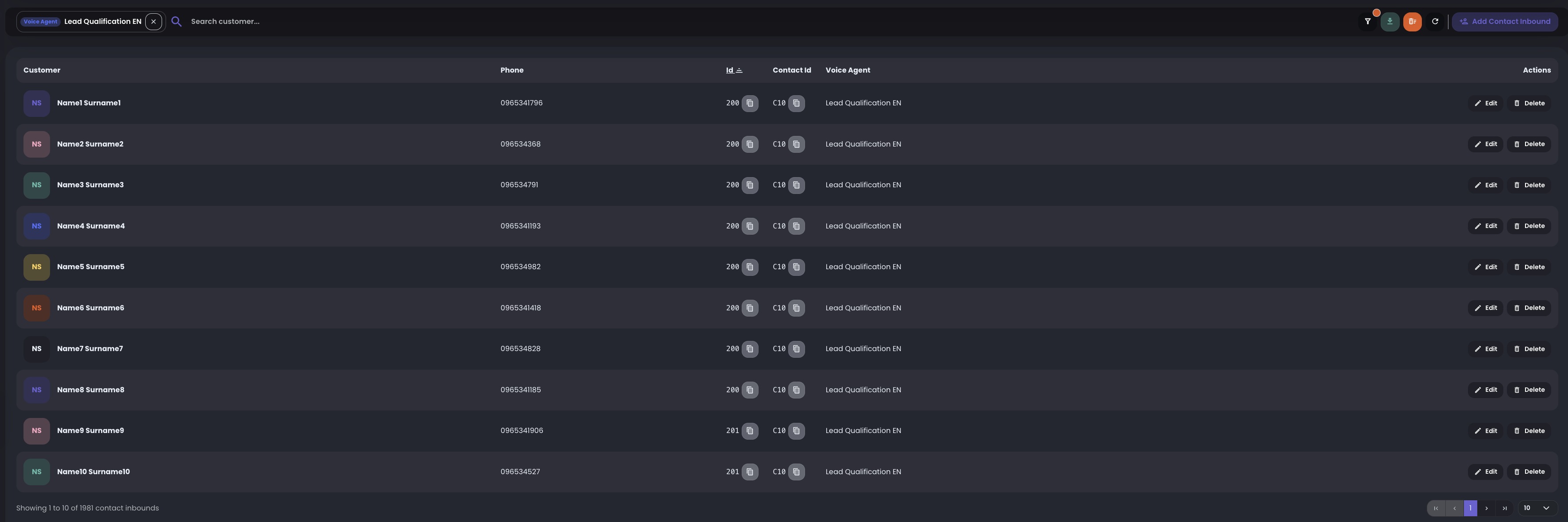
Manage inbound contacts
From this page you can add new inbound contacts, edit existing records, update contact details, and remove contacts that should no longer be used.
In practical terms, this is the place where you keep the inbound contact list clean and ready for caller matching.
- use Add Contact Inbound to create a new contact
- use Edit to update an existing contact
- use Delete to remove a contact from inbound matching
- use search to find a customer by name, phone, or related contact data
Filter by agent
Use the agent filter when different voice agents use different inbound contact lists.
After selecting an agent, the table shows only the contacts associated with that agent, making review and cleanup easier.
Manage the list
The top actions let you refresh the table, import or export data, and remove a contact list when it should no longer be used.
Deleting a list removes those contacts from inbound matching, so use it only when the list is obsolete or was imported incorrectly.
Use contact data in the agent
If Agent settings allow contact lookup for templates, the matched contact can provide values for greetings, prompt variables, and function context.
Those contact fields become dynamic variables available to the agent. When the agent uses a template variable, RocketAiFlow replaces the placeholder with the value stored on the matched inbound contact.
This is useful when the agent should personalize the conversation based on the caller's stored name, phone, contact id, or custom data fields.