Dynamic Parameters
Dynamic parameters let the agent use real contact and workflow data instead of static text.
Use them when the greeting, prompt, function description, function input, or API URL needs values from the current contact or call.
What dynamic parameters are
In RocketAiFlow, dynamic values usually come from two places:
Keep this distinction clear when you configure functions. Some values are known before the call starts; other values must be collected by the agent during the conversation.
- Contact/template values: values already stored on the outbound contact or on the inbound contact matched through Contact Inbounds.
- LLM-generated values: values the model extracts or creates during the call, such as intent, callback time, lead status, notes, city, or qualification result.
Contact template variables
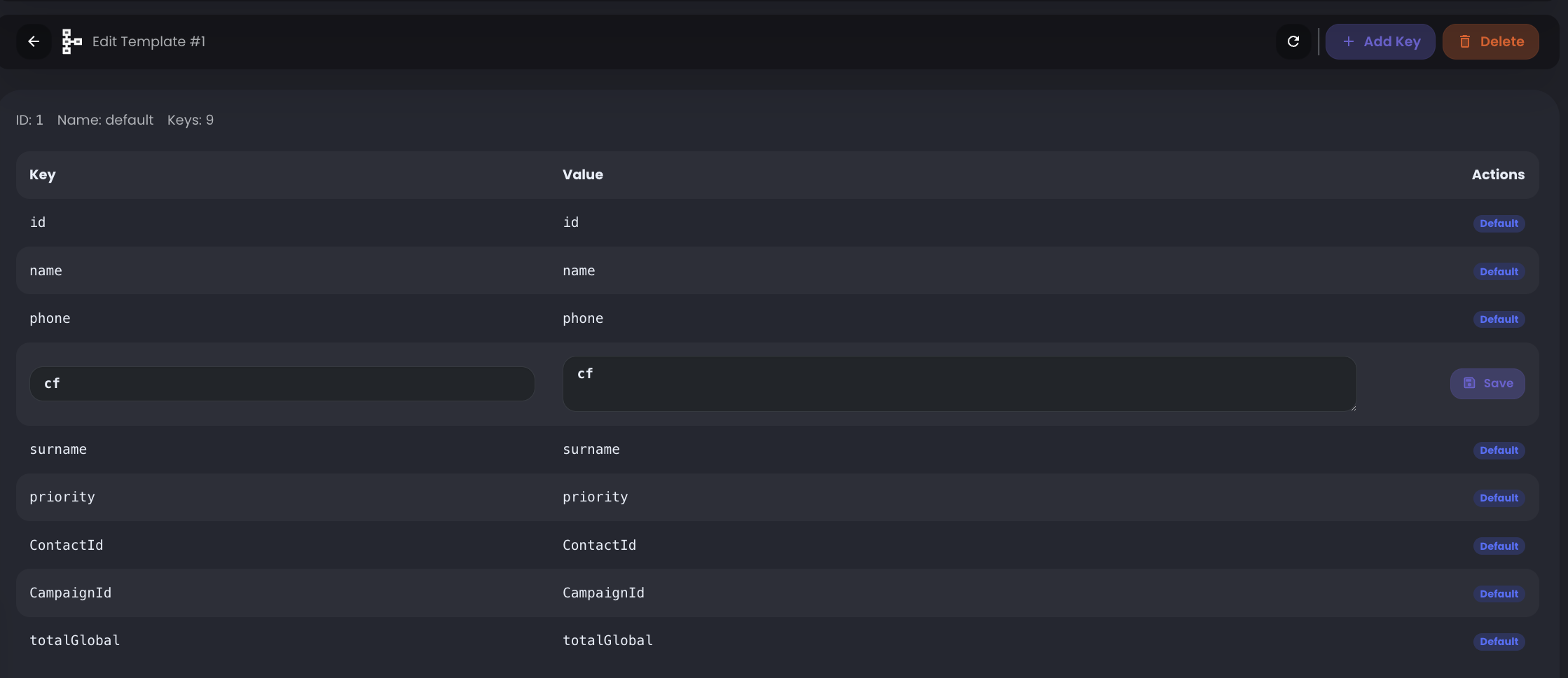
Contact templates define which contact fields can be inserted dynamically in agent fields.
The default template includes the main parameters of a contact created in RocketAiFlow:
You can edit the default template and add custom keys. Custom keys are rendered from data. For example, if you add a key named birthDate, the variable becomes {t.data.birthDate}.
Create separate templates for different contact schemas. If one workflow imports custom fields like externalId and another imports data.birthDate or data.policyNumber, add those keys to the relevant template so they appear as selectable variables when creating or editing an agent.
This reduces typing mistakes: instead of manually writing variable names, use the variables suggested by the UI.
{t.CampaignId}{t.ContactId}{t.id}{t.name}{t.phone}{t.priority}{t.surname}{t.totalGlobal}
How variables are rendered
A variable is replaced only when the matching value exists on the contact used for that call.
If the value does not exist, the variable is not rendered. Before using custom variables, make sure the contact data contains the expected key-value pairs.
- Outbound: variables are rendered from the contact loaded into the campaign. Custom fields must be included in the contact
dataobject. - Inbound: variables are rendered only when Agent settings allow contact lookup and Contact Inbounds contains a contact list with a number that matches the caller.
- In fields that support variables, type
@to open suggestions or click the variables shown under the field. - To prepare contacts, see Import Contacts.
{t.name} or {t.data.birthDate} are not rendered.Use dynamic values in functions
Dynamic values are useful when a function must call the right API endpoint or pass the right context without hardcoding a value for every contact.
Example: if a custom PUT function updates a CRM contact and the CRM id is stored on the contact as externalId, use that value in the API URL, for example https://crm.example.com/contacts/{t.externalId}.
RocketAiFlow renders the contact id from the active contact. The LLM can then generate only the values that must be updated, such as status, notes, or qualification result.
- use contact/template values for known data such as phone, name, CRM id, campaign id, plan, branch, or custom contact fields
- use LLM-generated values for information discovered during the call
- use template values in function descriptions when the LLM needs context
- use template values in API URLs when the external endpoint needs a contact-specific identifier
Keep it practical
Dynamic parameters are useful when they make the workflow more accurate. They are not useful when they make the function hard to read or debug.
- pass only the values required by the action
- name custom data keys clearly
- document where each value comes from
- test one contact and one workflow path first
- do not depend on a custom key until you have confirmed it exists in the contact data