Call Records
Call Records is the shared review surface for outbound and inbound calls.
Use one explanation for both flows: the call detail keeps the same operational meaning. What changes is only where the call came from, such as a Dialer Campaign, AI Inbound Routing, or Phone test.
Use the same review model for inbound and outbound
Do not duplicate the concept for inbound call records and outbound call records. The record detail should explain the same evidence for both directions.
An outbound record usually starts from a campaign contact. An inbound record usually starts from a caller matched through inbound routing or contact lookup. After the call is created, the review fields are read in the same way.
- caller or contact identity
- agent used by the call
- timeline, status, reason and cause
- ring time, hold time and talk time
- recording and transcript when enabled
- contact data and function output saved during the call
Read the call overview
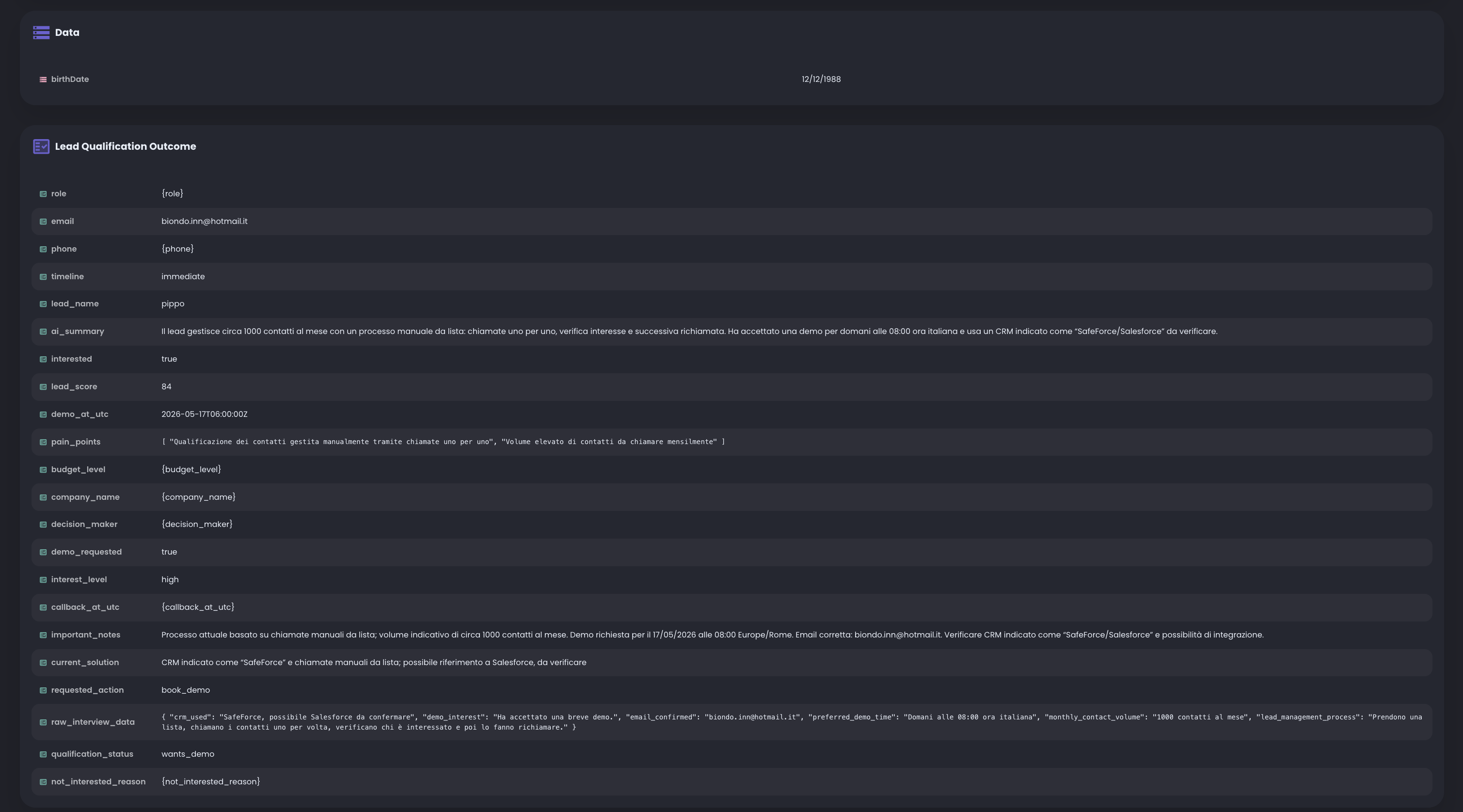
The overview gives the first operational answer: who was called or who called in, which agent handled the interaction, when the call happened, and how it ended.
Use the duration and timeline areas to separate telephony behavior from conversation behavior. For example, ring time helps explain answer delay, while talk time helps explain how long the agent stayed in the workflow.
Review the recording when enabled
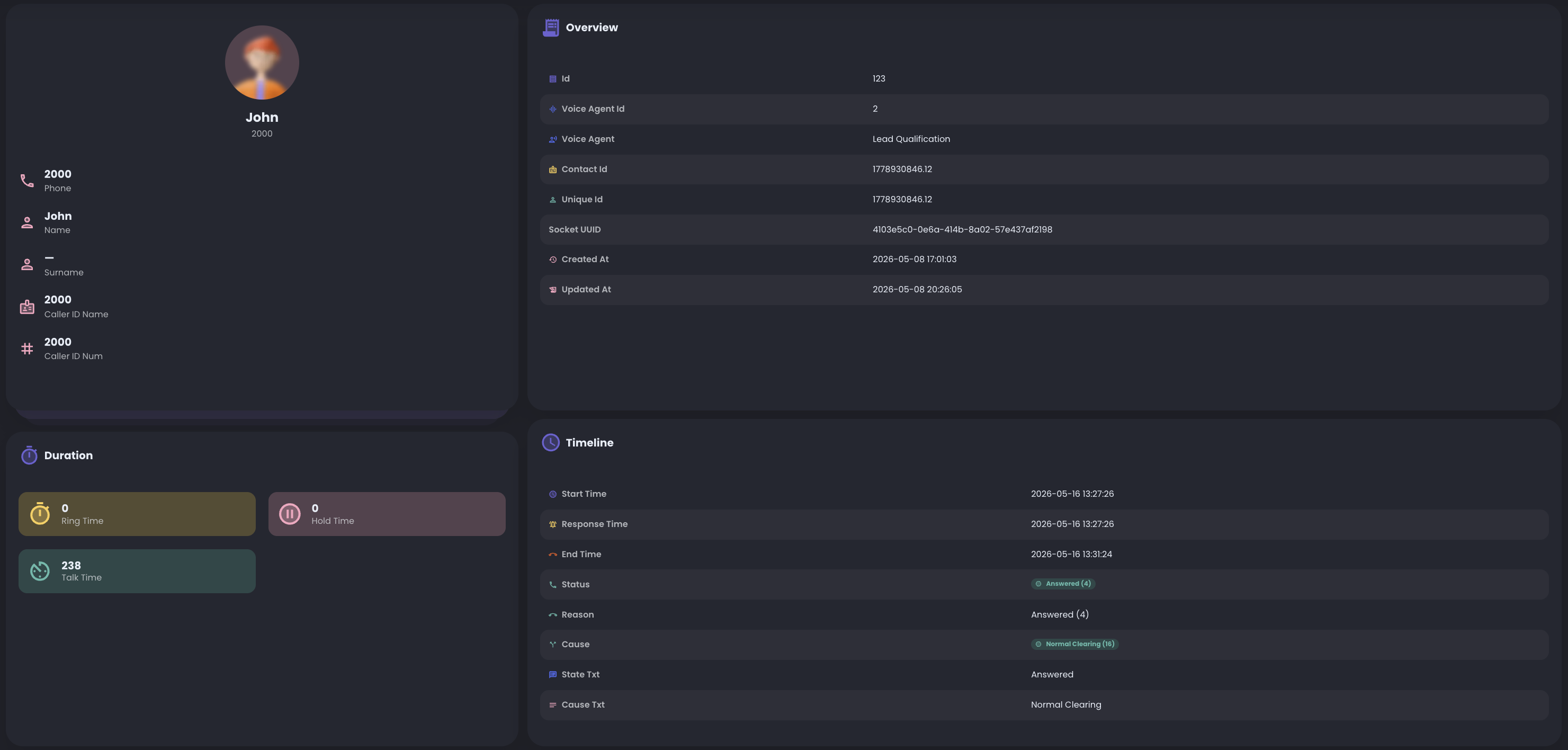
The recording panel appears when recording is enabled for the call path. It shows the generated filename and gives operators a quick way to listen to or download the audio.
Use recordings for deeper review when transcript alone is not enough, for example when you need to verify audio quality, interruptions, silence, or the exact customer phrasing.
Review Data and Lead Qualification Outcome
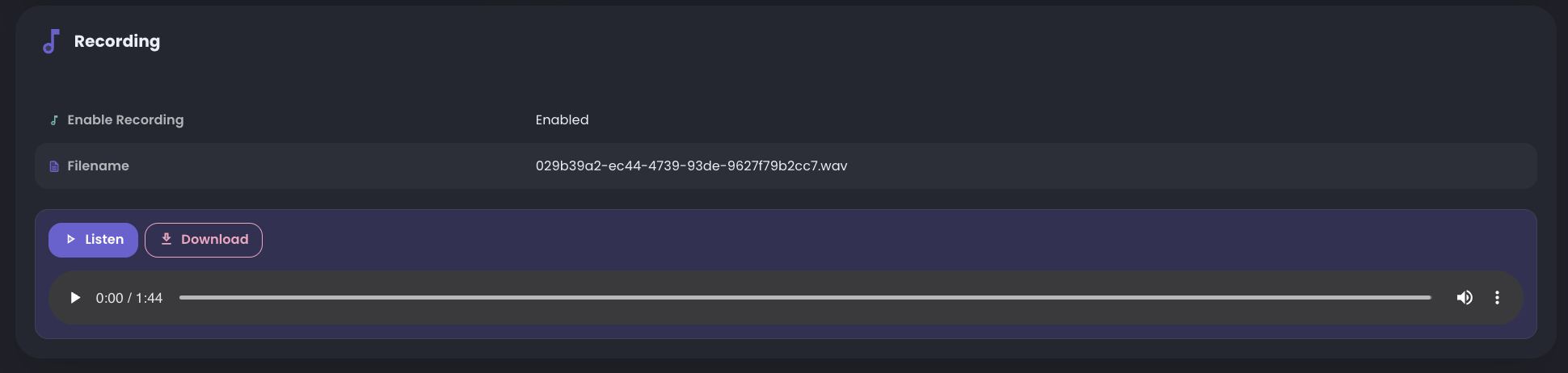
The Data section reports custom data that the customer loaded on the contact. These values come from the contact record and are useful for context, personalization, template variables, and downstream review.
Lead Qualification Outcome is where RocketAiFlow shows the structured data collected by the agent during the conversation. In a lead qualification workflow, this can include fields such as email, phone, timeline, lead name, AI summary, interest level, score, requested action, demo date, pain points, important notes and raw interview data.
If a value was not available or was not collected, the record can show an empty value or the unresolved placeholder. This makes the call record useful for spotting which data is missing before changing the prompt or function schema.
Use the record as the source of truth
Start from the call record before changing route, campaign, prompt or function configuration.
The record tells you whether the problem is in telephony, contact data, agent behavior, function output, recording setup, or timing.
- check overview and timeline first
- check recording and transcript when available
- check Data to confirm contact fields were passed correctly
- check Lead Qualification Outcome to confirm what the agent collected
- change one configuration area at a time after review